
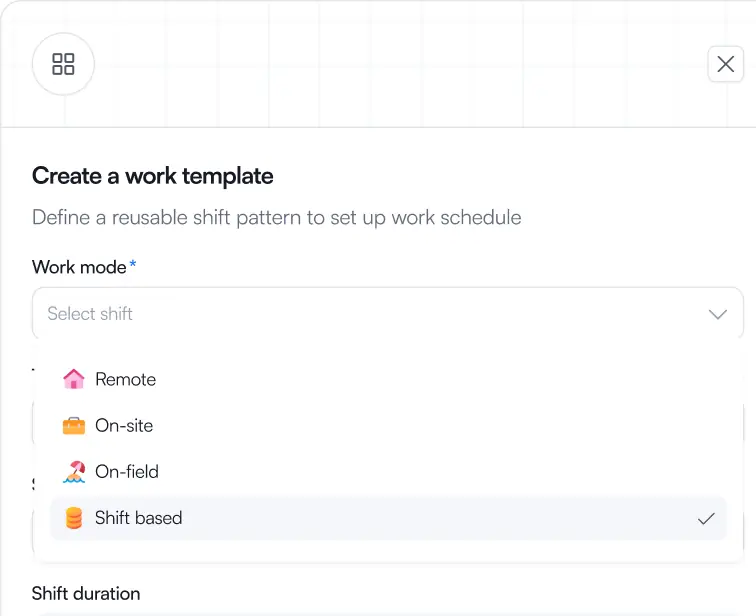
Adapts to any work mode
Remote, on-site, on-field, or shift-based, set how someone works once, and the entire system shapes itself around them. One tool for every team, no workarounds
Remote, on-site, in the field, or on rotation, plan every kind of work from one board. Shift Management adapts to how your people actually work, so you stop forcing them into one rigid calendar.
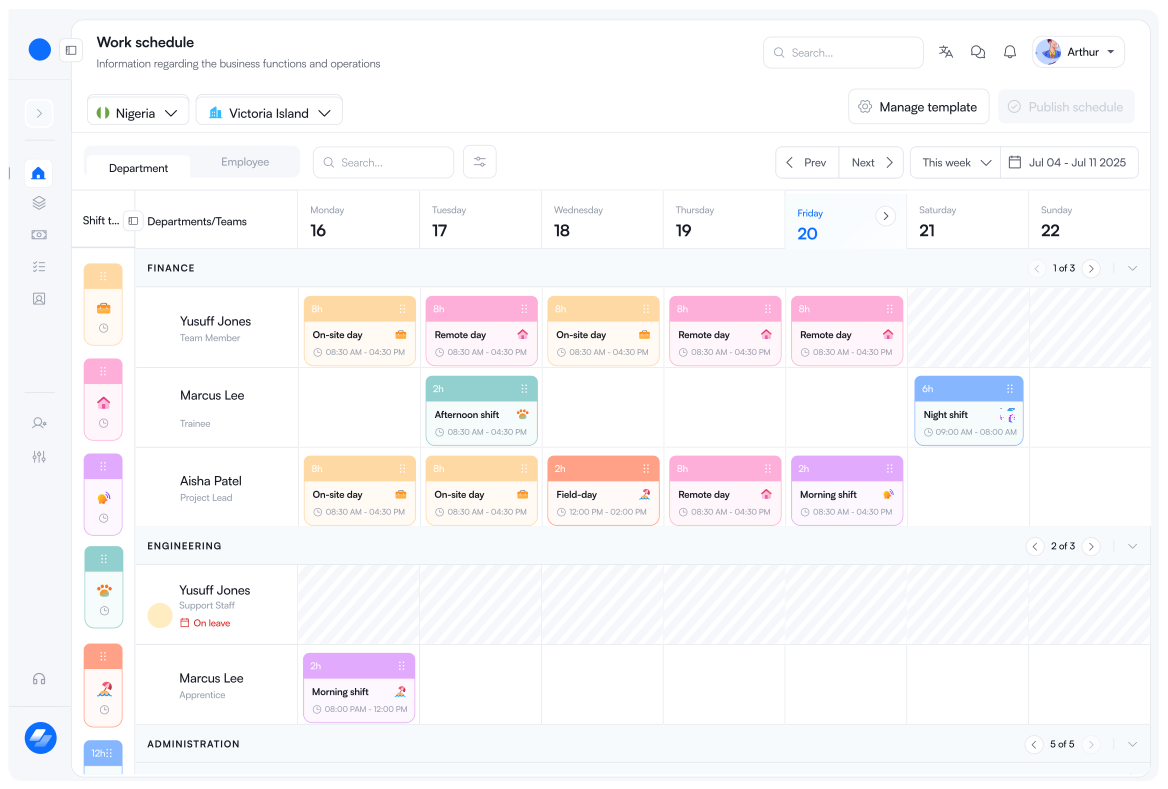
Stop building separate schedules for separate teams. Patchwork of tools.
One board adapts to remote, on-site, field, and rotating work, so planning takes minutes, not a patchwork of tools.
Stop building separate schedules for separate teams. Patchwork of tools.
One board adapts to remote, on-site, field, and rotating work, so planning takes minutes, not a patchwork of tools.
Most tools were built for one kind of team. So the moment your workforce mixes remote staff, field workers, and rotating shifts, the schedule spills into manual workarounds and managers end up doing the tool's job for it.
Why shift management?
Most schedulers start with time slots and force everyone into them. Set someone as remote, on-site, on the field, or shift-based and the whole system adapts around them. The rules, the views, the templates: everything follows the way your teams already operate.
Remote, on-site, on-field, or shift-based, set how someone works once, and the entire system shapes itself around them. One tool for every team, no workarounds
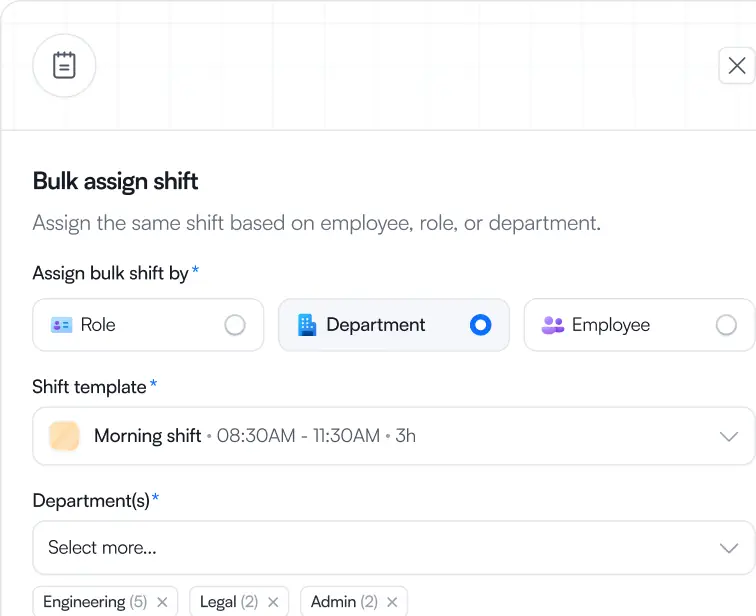
Assign by department, refine by role, fine-tune by person. A whole team's week takes minutes, publishes on your schedule, and stays flexible when life happens.
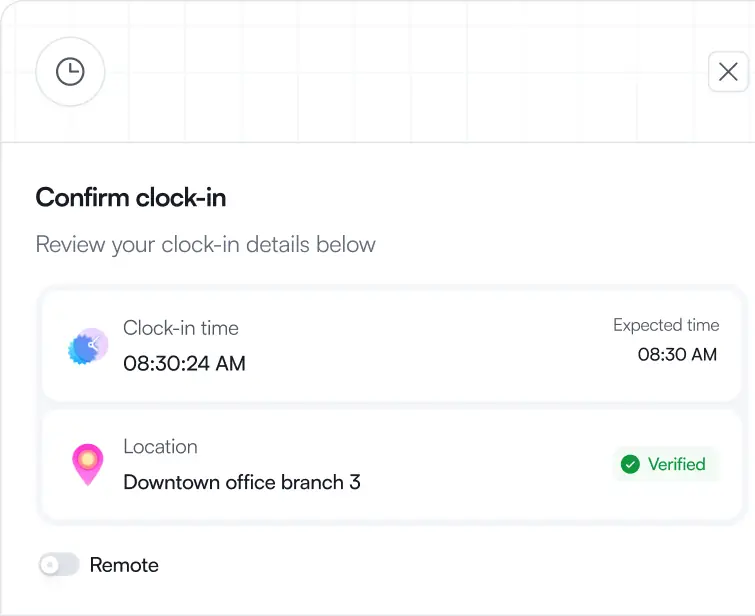
Every shift automatically informs attendance on Gopaddi Workforce. Who should be in, when, and where, attendance already knows, so tracking is based on shift.
Key capabilities
Once a work mode was selected, the system could automatically adapt scheduling rules, validations and assignment behaviour without requiring completely different scheduling experiences.
 Create schedule template
 Assign based on structure.
 Preview & Schedule
Who we built this for
Build daily, weekly, or monthly schedules with reusable templates, recurring shifts, and bulk assignment, then let attendance track itself
Hotel, restaurants
Stop manually building rosters weekly. Set recurring shifts, handle call-outs with in-app swaps, and see who clocked in without checking the floor.
Corporate organisations
Track remote, office, and hybrid days all in one place. No more guessing if team members logged in across scattered locations.
Hospitals, labs
Ensure 24/7 coverage without whiteboards. Assign shifts by department, keep wards staffed, and auto-reconcile attendance with the roster.
Getting started is simple. Set up your organization, add your team, configure your policies, and Workforce takes care of the rest — from employee self-service and approvals to payroll workflows and synced operational data.
Have any more questions? Reach out to Support
Getting started is simple. Set up your organization, add your team, configure your policies, and Workforce takes care of the rest — from employee self-service and approvals to payroll workflows and synced operational data.
Have any more questions? Reach out to Support